
Committed for Apple Watch
Your count, on your wrist.
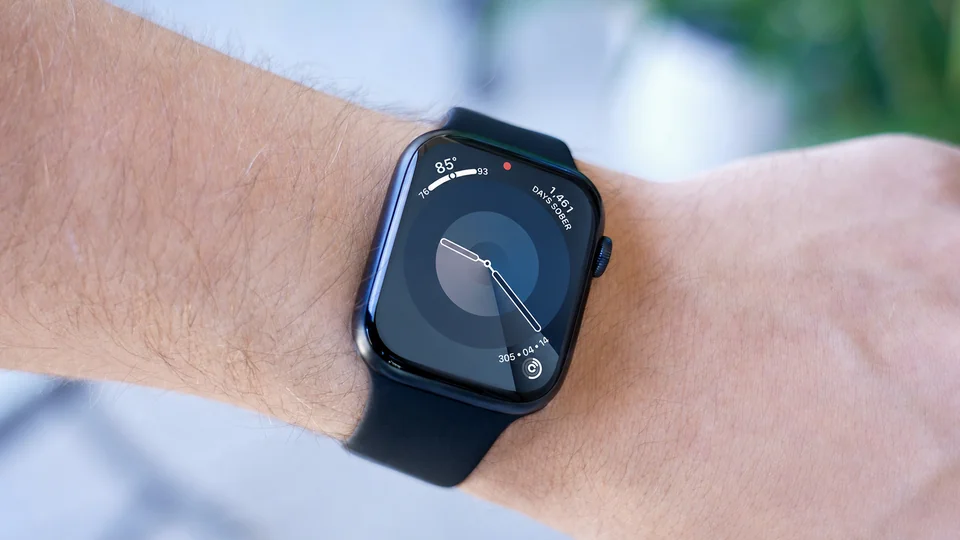
Put your sober days on your watch face, or raise your wrist and open Committed to see every commitment and the next milestone.
Apple Watch support is part of Lifetime Unlock, a one-time purchase in the app. Requires watchOS 11.0 or later and an iPhone with iOS 18.6 or later.
Complications
The face you already wear, with your count on it.
Circular, rectangular, inline and corner complications fit the faces you already use. Pick which commitment each one follows.
Edit a watch face, choose a complication slot, and pick Committed. The slots available depend on the face. Apple’s guide to editing watch faces
The Watch app
The same commitment, easier to check.
Every commitment
Open the app to see each commitment, its time and its milestones.
The next milestone
Know how many days are left before the next one.
Kept up to date by your iPhone
Your watch gets its information from Committed on your iPhone.
Price: the iPhone app is free to use with no time limit. Apple Watch support is included with Lifetime Unlock ($14.99 in the US, one time). See everything included